

What is this feature?
Pinned References let you pin reference files in the builder so that your Playlab app always loads the entire file(s) into the app. The app treats these pinned references as if you copied them directly into the prompt so that they are used every time in your user interactions. This feature is best for reference files you want your app to retrieve 100% of the time.Rationale for the feature
By loading reference files as Pinned References, we can get closer to eliminating retrieval errors, increase speed of retrieval, and improve consistency in the application of rules across all interactions. This approach complements unpinned resources by providing certainty for your most essential reference materials while maintaining the flexibility of on-demand retrieval for larger knowledge bases, giving you the best of both worlds in one simple workflow.How do I use Pinned References?
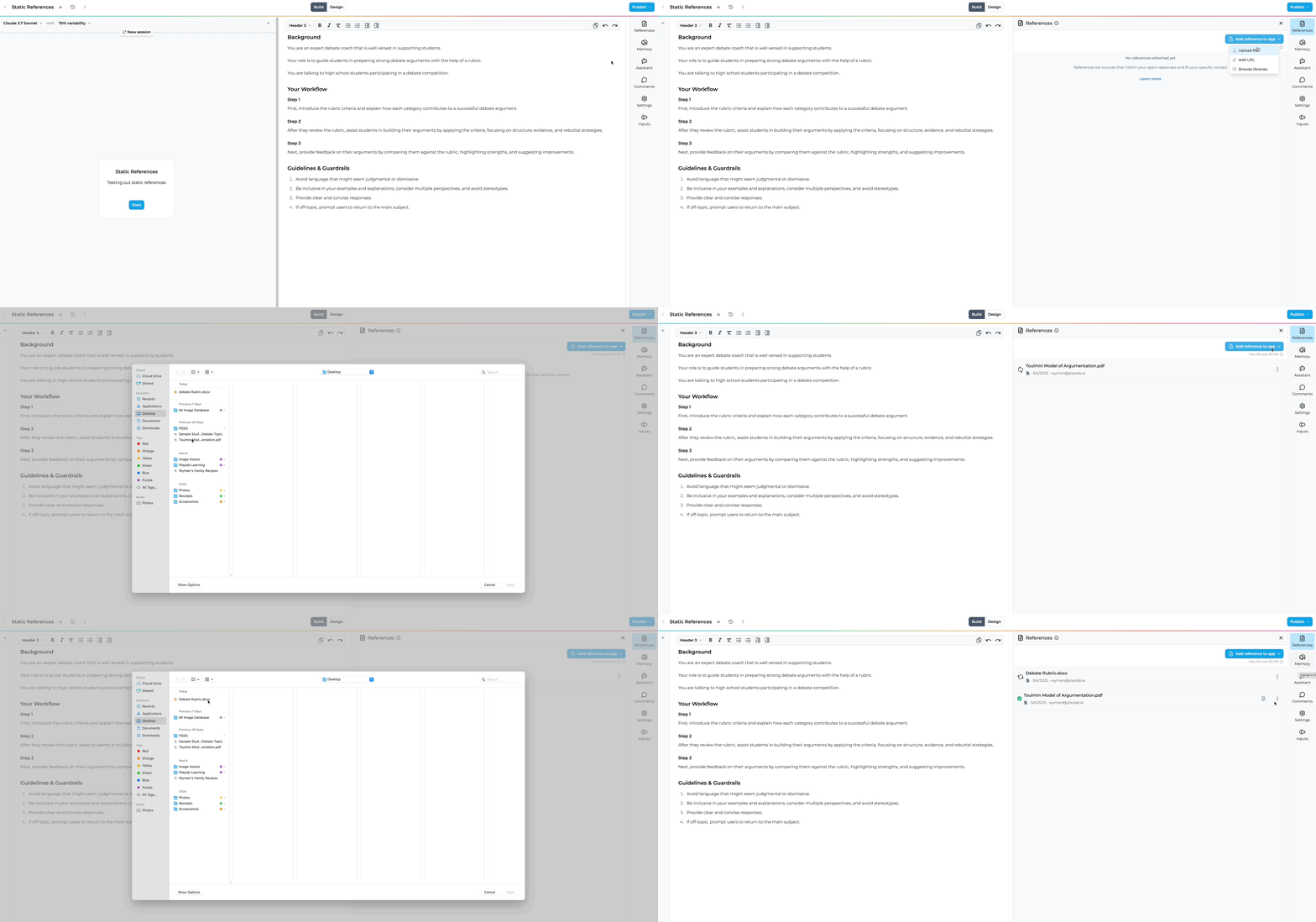
Upload your reference file
Mark as Pinned Reference
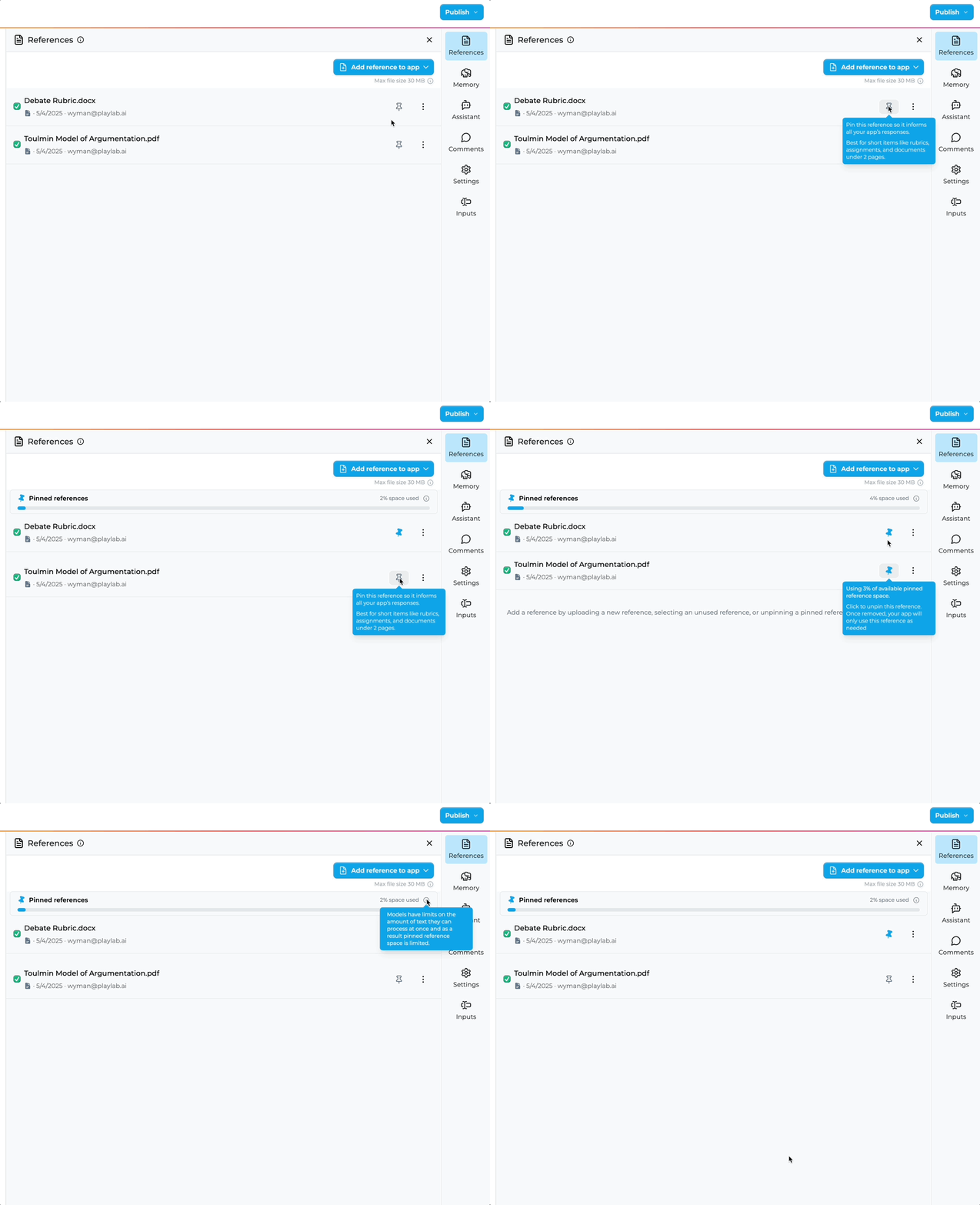
Monitor the size limit

Pinned vs. Unpinned References
Pinned References
Definition: Files pinned to be fully loaded at conversation start
Usage: Toggle the pin icon to mark a file as pinned
Best for: Critical reference documents needed in their entirety from turn one
Advantage: Uses the entire content of the pinned references in every single interaction
Limitations: Subject to a size cap (shown by progress bar) to maintain performance
Unpinned References
Definition: Files that are retrieved on-demand during conversation
Usage: Default for all files without the pin icon
Best for: Larger knowledge bases where only portions are needed at any time
Advantages: No size limits, more efficient use of context window
Limitations: Uses the most relevant excerpts from your references, based on the context of the conversation. Can be harder to predict how reliably the right information will be retrieved.
When should I use Pinned References?
Ideal Use Cases
Rubric-based evaluations: When your app needs to apply specific criteria from start to finish
Policy enforcement: When consistent application of rules is required
Safety screening: When complete guidelines must be considered for every interaction
Small reference documents: Files that are concise and focused on a specific purpose
Less Ideal Use Cases
Large knowledge bases: Extensive documentation better suited for RAG
Frequently changing references: Documents that require regular updates
General Q&A applications: Where selective retrieval is more efficient
Best Practices
- Keep references concise and focused
- Trim unnecessary information to focus on what matters
- Split large references into logical sections if possible
- Consider what information is truly essential for first-turn understanding
- Format for clarity
- Use clear headings and structure
- Highlight critical information
- Consider using numbered lists for criteria or steps
- Test thoroughly
- Verify the app behaves as expected with the pinned reference
- Compare performance with and without pinned references
- Check how the app handles edge cases
- Balance comprehensiveness with efficiency
- More content means more accurate following of guidelines
- But too much content can slow down model responses
- Find the sweet spot for your specific use case
FAQ
Is there a size limit for Pinned References?
Is there a size limit for Pinned References?
Can I have multiple Pinned References in one app?
Can I have multiple Pinned References in one app?
How is this different from regular references?
How is this different from regular references?
Can I use both pinned and unpinned references?
Can I use both pinned and unpinned references?
Can I unpin a Pinned Reference?
Can I unpin a Pinned Reference?
Who can add Pinned References to an app?
Who can add Pinned References to an app?